Students enrolled in digital homeschool courses at Kolbe Academy will use Schoology regularly to access course assignments, weekly auto graded checks, and video recordings and other materials/activities.
Locating Courses
Once you are logged in at kolbe.schoology.com, you can find your course(s) by clicking Courses on the main menu at the top of the Schoology page. A drop-down list of your courses will appear; open your course of interest by clicking on it from the list.

Materials and Updates Pages
When opened, digital homeschool courses in Schoology will default to the Materials page.
The Materials page is where you will find coursework, video lectures, and other materials organized by Semester and Weekly folders.
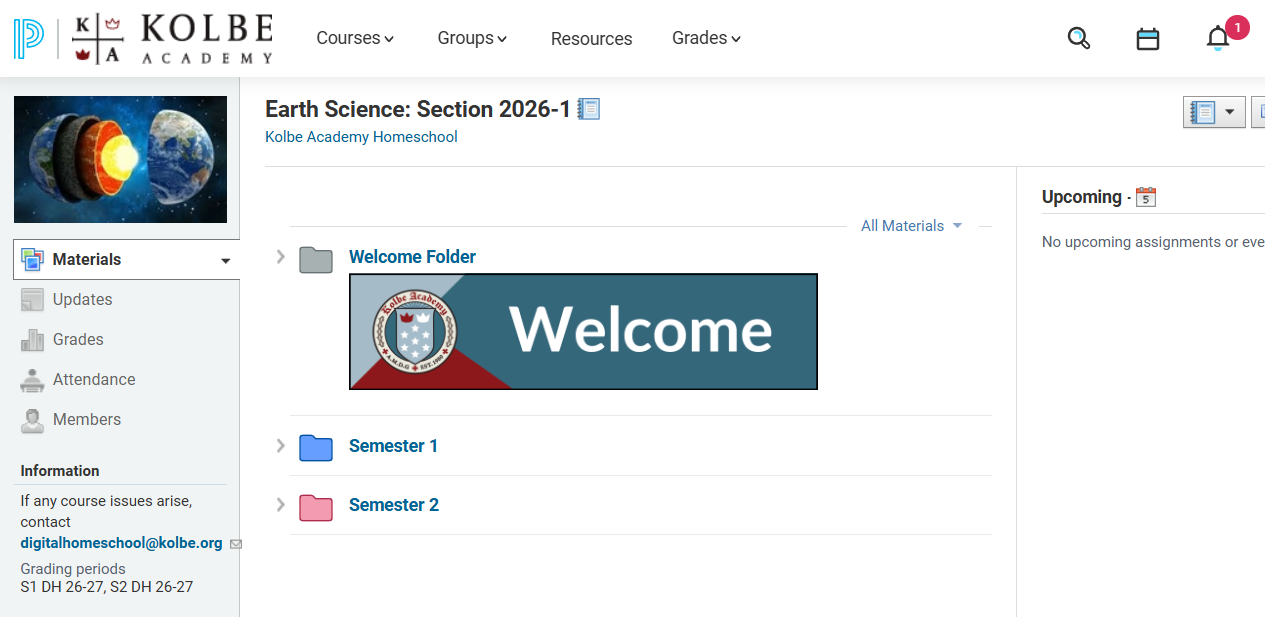
Materials Overview
The Materials page is comprised of folders that organize your assigned course work (and other materials), based on the course’s corresponding traditional homeschool course plan.
The Materials page will contain the following:
- A Welcome folder, which contains information that is pertinent to the course as a whole. Contents may include (but are not limited to) the homeschool course syllabus and Kolbe publications used throughout the course, as well as information on books.
- Semester 1 and 2 folders, which contain the weekly folders.
- Weekly folders that outline a task list for the week, with weekly assignments, video lectures, and weekly auto-graded learning checks contained within.
You can click the drop-down arrow next to a folder to expand it and see it’s contents on the same page. You can also expand sub-folders in the same way.
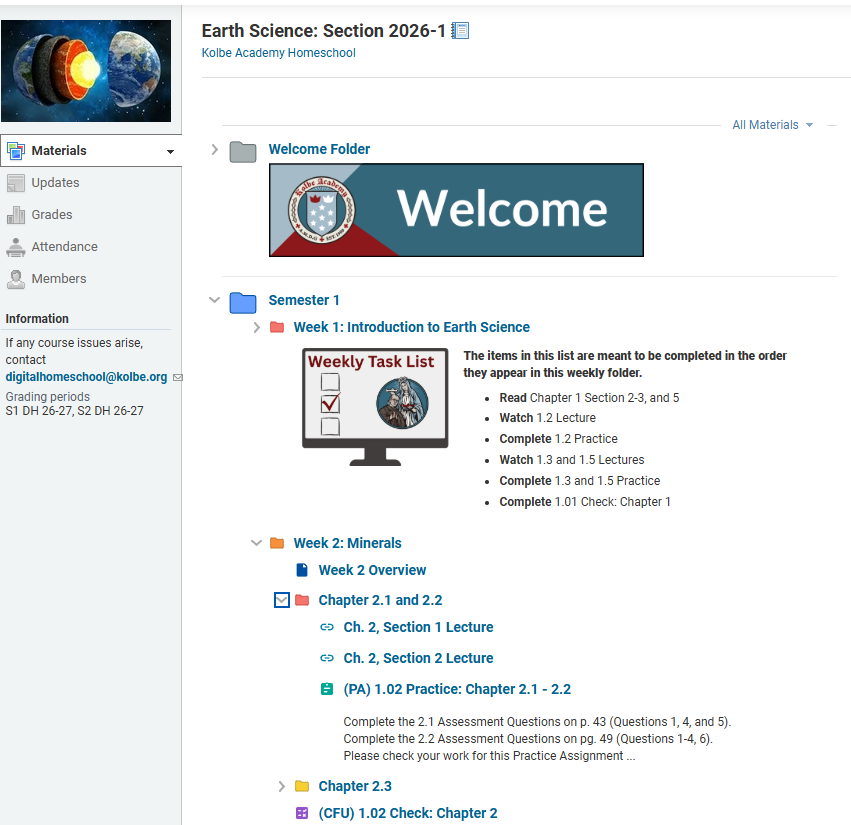
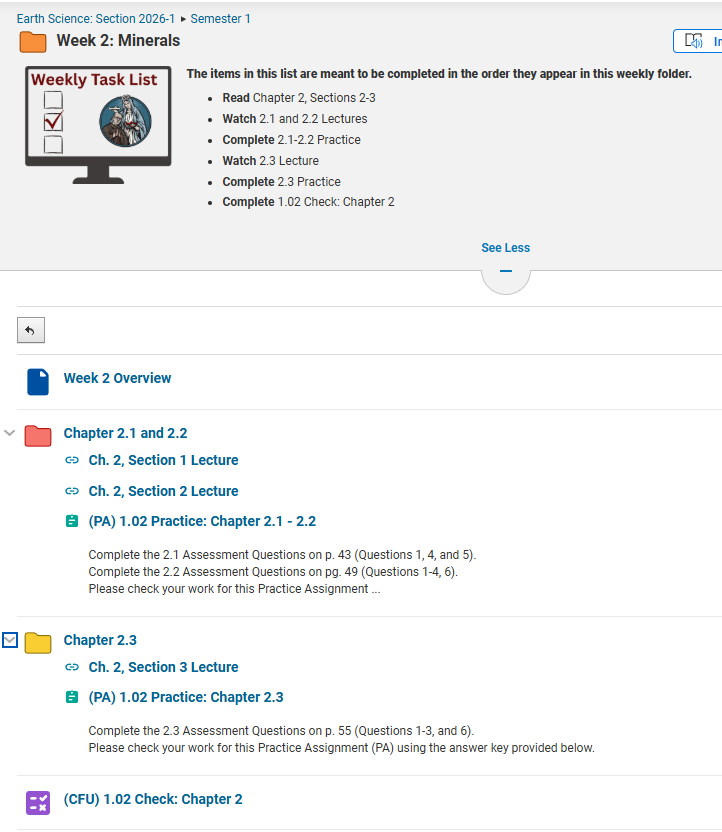
To view additional information about materials within a folder, click the folder’s title (i.e “Semester 1”) to open its contents in a new page. This will allow you to preview additional information for materials, including instructions for each assignment (though you may have to open an assignment fully to see the entirety of its instructions).
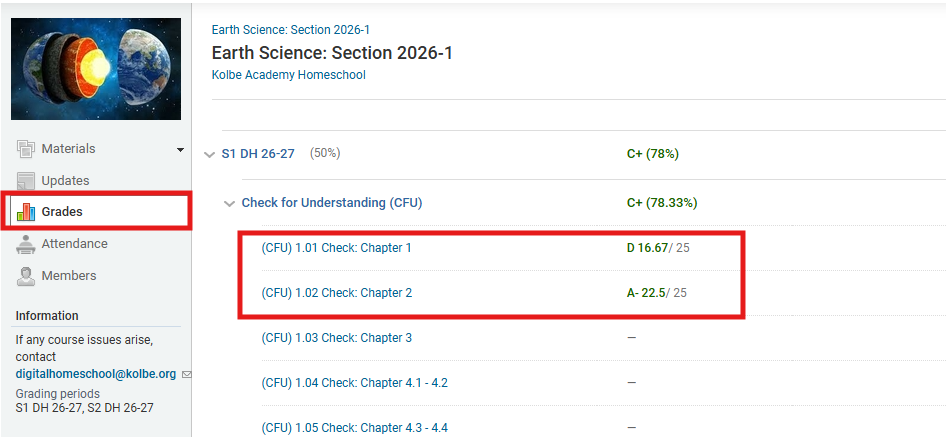
Course Gradebook
In digital homeschool courses, the only "submittable" assignments are the weekly auto-graded learning checks provided in the weekly folders. The grades from the weekly checks may be incorporated into the student's semester grade if desired, but it is not required to do so.
Important Note about Grades
It is important to understand that a digital homeschool course is ultimately a homeschool course, meaning the parent has to report sample work and recommended grades through the grade reporting process similar to traditional homeschool courses.
Parents can review our grade reporting articles for more information. We suggest starting with reviewing the Grade Report Submission Overview and the Grade Reporting Guide for the student's grade level to get started for digital homeschool courses. Contact your family advisor if you have questions about submitting assignments and grade reports to Kolbe.
Once you’ve submitted a weekly check, you can view the grades of those assignments in one place by visiting the Grades tab to the left side of the course page. This will bring up a drop-down list that can be expanded down from the overall school year down to each individual assignment within the course’s categories.